Let Codex, Claude Code or your preferred agent work in Chrome or Firefox on your machine. With grip, you handle the sign-in, the agent handles the browser work, and you stay close to the controls.
Local CLI + agent skill or MCP · macOS, Linux, Windows · From $79/year
The job needs a person. Not a dead end.
You sign in. The agent gets to work.
Google SSO, a password, 2FA or a sign-in CAPTCHA: complete the human step yourself, in the browser on your machine.
01 / Agent
Get to the right page.
Use a dedicated profile for the job. Let the agent open the site and identify the next step.
gripui attach work
02 / You
Handle the sign-in.
The full handoff reopens that profile in a visible browser without automation attached. Enter credentials and complete verification yourself.
gripui human-drives
03 / Agent
Continue from your profile.
Return control. The agent restores the profile’s tabs, checks the signed-in state, then continues the authorized task.
gripui agent-drives
Same persistent profile, not an uninterrupted page: full handoff reopens the browser and can lose unsaved form state. Sign in before starting a long workflow. Sites can still expire sessions or deny access.
Two different moments
Sign-in is one thing. An approval is another.
A fresh sign-in
Use the full handoff.
For a password, SSO or 2FA, step into the uninstrumented browser. Finish authentication, then hand the profile back before the agent fills a long form.
Hand over for sign-in
gripui human-drives
Return to the agent
gripui agent-drives
Already signed in, mid-task
Approve without restarting.
If a passkey, Touch ID prompt or other human check appears inside a workflow, have the agent stop acting while you handle the prompt directly in the visible browser or on your device. Then have it refresh the page view.
Check the page after approval
gripui hud
Keep unfinished work in place.
Do not cycle through human-drives just for an in-place approval: the restart can discard the form you prepared. Review purchases and make the final commitment yourself.
Start with a dedicated, persistent browser profile. Sign into the accounts this task needs and reuse it for the next session.
You do not need to paste a password into the agent’s conversation or copy your whole everyday browser profile. The agent still has the authority of the accounts you sign into.
Local browser control is not a guarantee against bot checks or site restrictions. Your chosen AI provider may process page content shared with the agent.
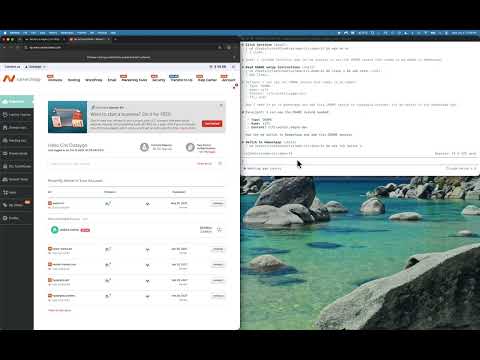
These recordings show agents working through real cloud consoles and deployment tasks. For the sign-in and handback steps, follow the written walkthrough below.