
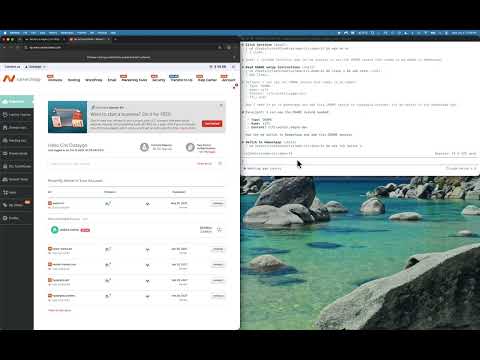
 01 / RECORDED SESSION
A site. A domain. A live deployment.
Watch an agent deploy a Cloudflare Pages site, then configure its DNS through Namecheap. Two dashboards, one browser workflow.
Local browser. Human handoff. CLI + MCP.
Let Codex, Claude Code or your favorite agent work in Chrome or Firefox on your machine. With grip, you handle sign-in and step in when a site needs a person.
Chrome + Firefox · macOS, Linux, Windows
From $79/year. Bring your own AI agent.
YOUR WORKSPACE
gripui hud[149] Get started
Import a repository
[150] Get started
Upload your files
$ gripui do 15001 / Your turn when it matters
Google SSO. A password. 2FA. A sign-in CAPTCHA. Handle authentication yourself, then let the agent continue with the profile you signed into.
Your browser. Your logins. The handoff.Use a dedicated profile for the job. Full handoff reopens the browser; approve mid-form prompts in place to protect unfinished work.
Your agent navigates the site in a local browser.
gripui hudSign in yourself, in a browser without automation attached.
gripui human-drivesThe agent returns to that profile, checks the page and gets to work.
gripui agent-drives02 / See it in the wild
Real cloud consoles. Real deployment tasks. Agents finding their way through the same pages you use.
01 / RECORDED SESSION
Watch an agent deploy a Cloudflare Pages site, then configure its DNS through Namecheap. Two dashboards, one browser workflow.
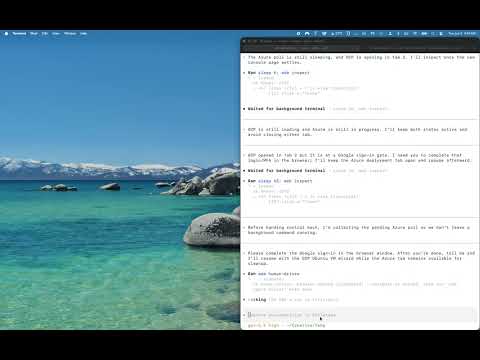 02 / RECORDED SESSION
Codex works through VM creation and deletion across AWS, Azure and Google Cloud, using the controls in their real consoles.
Recorded sessions with gripui. See each demo for scope and context. Outcomes depend on the agent, the site and your permissions.
03 / A small loop. A lot of web.
Grip turns the live page into text and numbered actions your agent can use directly.
Buttons, fields, links and their context. Repeated labels get the surrounding information that tells them apart.
gripui hudClick a numbered action or type into a field. Stale targets fail explicitly; typing reads the field back.
gripui do 150Read the new state before the next action. The agent follows the page as it changes and checks the result.
gripui hud04 / Your machine. Your setup.
Grip drives an installed browser on your computer. Watch it work in a visible window, or use a headless runner with the appropriate licence.
Use a dedicated, persistent profile. Sign into only the accounts the task needs, and keep your everyday browsing separate.
Grip’s service handles licensing, billing and support. Your chosen AI agent may process the page content you give it.
05 / Get a feel for it
Short, practical guides to the browser loop. Commands you can use, with the context to use them well.
All tutorials ↗Good questions
gripui an AI agent?Grip is the browser tool. Your existing agent does the reasoning. Use it from a terminal with a skill file, or connect it as an MCP server.
Browser actions require a paid licence. Solo Dev is $79/year for local use on up to two of your machines. Pro Runner is $499/year for unattended and CI workflows on up to three machines or runners. Compare plans.
Sites vary. Grip reads live controls, works with real browser input, and gives the agent feedback. Some interfaces and access checks still need a person. It does not bypass site protections.
A named profile can retain sessions between runs. Start by signing into that profile yourself. Copying your everyday profile is an explicit advanced option, not the default setup.
Yes. gripui mcp exposes the same commands, profiles and browser session over stdio. See the setup.